


Recipe import
Move a recipe onto your grocery list.
In the Fall 2026 app, add a recipe link, paste the text, or take a photo. Vynn will find the ingredients for you to review and adjust before approved items move onto your list.
- Import from a link, pasted text, or a photo in the Fall 2026 app
- Review every ingredient in the Fall 2026 app before it reaches your list
- Adjust servings in the Fall 2026 app before adding ingredients

- Spaghetti400g$1.68
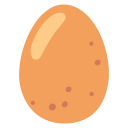 Eggs4$1.92
 Parmesan100g$4.20
 Black pepper8g$0.24
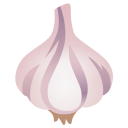 Garlic2 cloves$0.28
Prices are not availability claims
Fall 2026 app
Review the recipe, then add the ingredients
Share a link, paste the text, or snap a photo
In the Fall 2026 app, paste a URL or recipe text, or take a clear photo of the ingredient list. Vynn will extract the ingredients for review.
Review before anything is added
In the Fall 2026 app, confirm what looks right and fix what does not before anything reaches your grocery list. Add missing items or remove ingredients you already have.
Set the servings before you add
In the Fall 2026 app, increase or decrease the serving count during review. Vynn will update the ingredient quantities before you add the recipe to your list.
Frequently asked questions
How do I import a recipe?
In the Fall 2026 app, paste a recipe link or text, or take a photo of the ingredients. Vynn will show the parsed ingredient list for review before anything is added.
What recipe sources are supported?
The Fall 2026 app will accept a recipe link, pasted text, or a photo. Results will depend on how clearly the source presents its ingredients, so every import includes a review step.
What if an ingredient isn’t recognized?
In the Fall 2026 app, the review step will show every ingredient Vynn found. Fix, remove, or add items before anything reaches your list.
Can I adjust the number of servings?
Yes. In the Fall 2026 app, adjust the servings during review so the ingredient quantities match the meal you plan to make.
More in the Fall 2026 app
Nutrition info
Nutrition facts where data is available
In the Fall 2026 app, product pages will show nutrition facts where data is available.
Shared lists
One list that stays in sync
In the Fall 2026 app, invite anyone to a list and keep every connected phone on the same current version.
Store finder
Compare nearby retailers
In the Fall 2026 app, use a postal code to compare available prices by nearby retailer.
Plan the recipe. Build the list.
Join the Fall 2026 waitlist to import recipes, review every ingredient, and move the approved items onto your list.
Join the Fall 2026 app waitlist


Review every ingredient before it reaches your list.