


One grocery list. Everyone stays in sync.
In the Fall 2026 Vynn app, keep a list private or invite anyone who needs access. Items added, removed, or checked off stay in sync across connected phones.
- Keep each list private or invite anyone who needs access
- Add, remove, and check off items across connected phones
- See who added each item
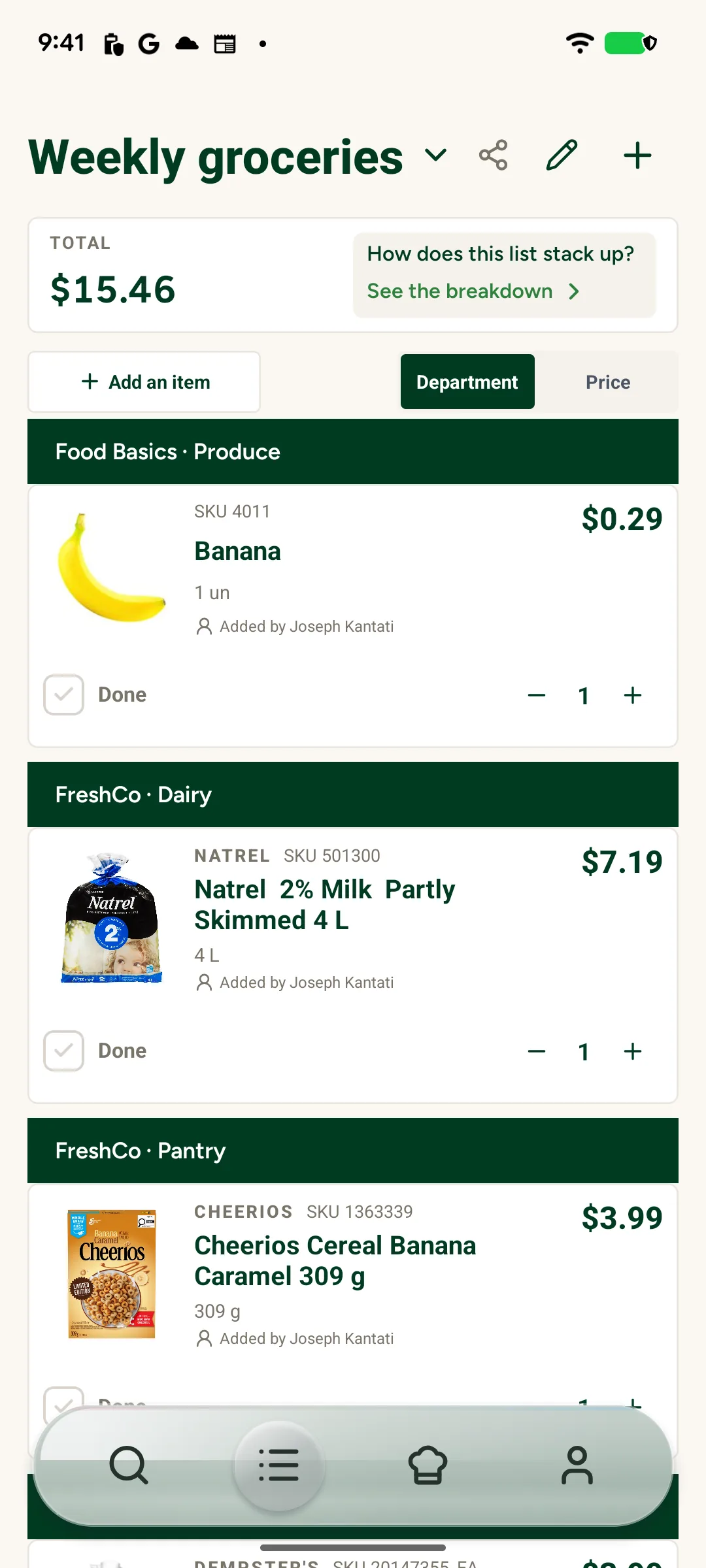
A list that works for the people using it
Share only when you want to
Start with a private list. Invite family, friends, roommates, or anyone else who needs to shop from the same list.
Shop from one current list
When someone adds, removes, or checks off an item, connected phones show the change so no one has to reconcile separate lists.
Know who added what
See who added each item, so it is easier to confirm the brand, size, or quantity.
Frequently asked questions
Who can I invite to a shared list?
Invite anyone who needs access, whether you shop with family, friends, roommates, or neighbours.
Which list changes stay in sync?
Adding an item, removing it, or checking it off updates the shared list across connected phones.
Can I see who added an item?
Yes. Shared lists show who added each item, so everyone has the context they need while planning or shopping.
Explore more of Vynn
Smart Restock: Remember the staples
The Fall 2026 Vynn app learns when repeat purchases usually come up and suggests groceries when they may be due. You decide what reaches your list.
Voice assistant: Add groceries
The Fall 2026 Vynn app uses Siri on iOS to add a grocery or ask its price, while Google Assistant on Android opens matching results.
Recipe import: Move a recipe onto your list
Bring ingredients together, review them, and add only what you need.
Make the list once. Shop together.
Join the Fall 2026 waitlist for private and shared lists that stay current across connected phones.
Join the Fall 2026 app waitlist


You control which lists stay private and who can access a shared list.